

|
||
|
|
||
|
||
|
Smart Alert Tips |
||
|
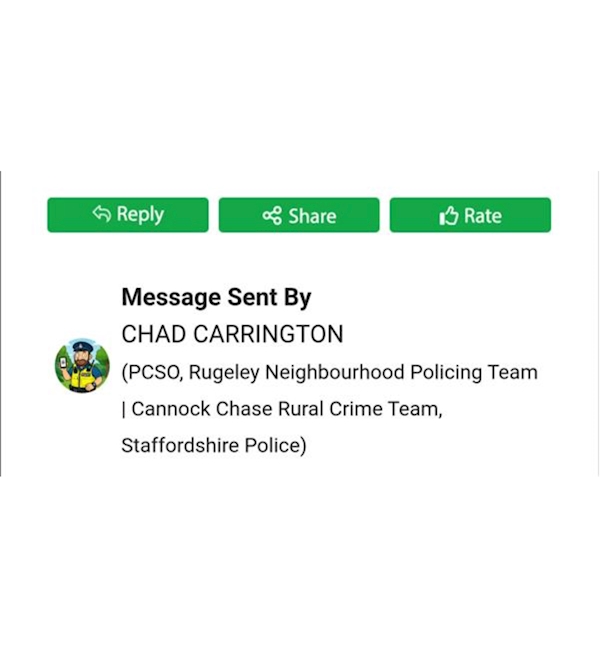
Did you know that every Smart Alert you receive includes quick‑access options that let you rate the message, share it, or reply directly to the officer who sent it.
Simply tap the relevant button beneath the message, just above the officer’s details (see image below)
⭐ Rating helps us understand which messages work well and which ones may need refining, so your feedback directly improves future alerts.
🗣️ Sharing allows you to pass important information on to others, helping us reach a wider audience and keep more people informed.
↩️ If you choose to reply, your message goes straight to the officer who sent the alert. Please remember, this feature is not for reporting live incidents. For non‑emergencies, use 101 or report online. In an emergency, always call 999.
| ||
Reply to this message | ||
|


|